
Pathways.org Baby Milestones
Pathways.orgParenting
4.774.00 Reviews
- Version
- 2.21.1
- Installs
- 100.00K
- Age Rating
- Everyone
Screenshots
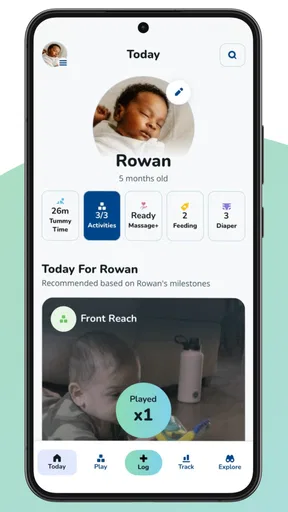
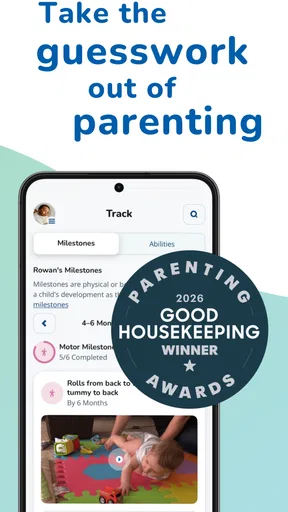
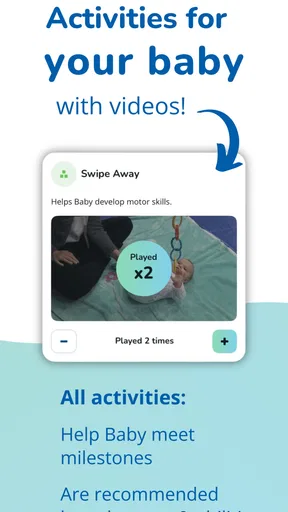

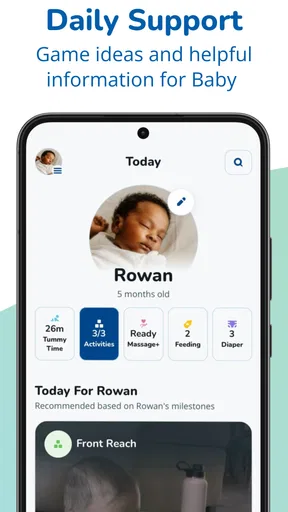
Our Review of Pathways.org Baby Milestones
 Analysis by Appyee
When I first opened Pathways.org Baby Milestones, I understood its appeal almost immediately: it turns the vague question “What should I do with my baby today?” into a small set of practical activities. This free parenting app from Pathways.org combines developmental guidance with a Tummy Time tracker, so it is aimed at parents who want a simple routine rather than a dense library of medical reading.
I found it most useful as a calm reference point during ordinary days. It does not replace a pediatrician, and I would not treat an activity suggestion as a diagnosis or a pass-or-fail test. Its value is more modest and more realistic: it helps me notice opportunities for play, movement, interaction, and observation without requiring specialist knowledge.
The app is available for Everyone and supports Android 8.0 or later. It has passed the hundred-thousand-install mark, with an average score of 4.7 from more than eight hundred ratings. Those figures suggest that it has found a clear audience among families looking for accessible milestone support, but the real question is whether its workflow fits your household.
How I used the app as a daily parenting tool
I use the app most effectively when I decide in advance what job I want it to do: offer one idea for play or help me remember a Tummy Time attempt. Keeping that purpose small makes it easier to put the phone down and stay present with the baby. With that routine in mind, the next useful question is how to handle the occasional snag without turning a simple activity into extra work.
A useful starting point for parents who want structure
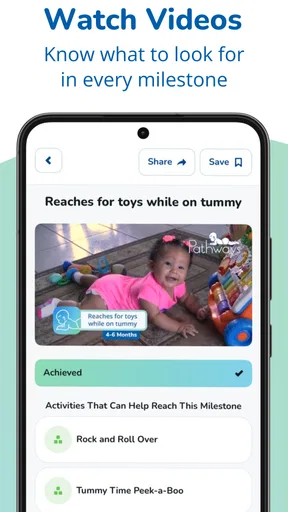
The basic workflow is straightforward. I open the app when I have a few minutes with the baby, look for an age-appropriate developmental activity, and use that idea as a starting point for play. The important word is “starting.” I do not read the suggestions as a strict schedule. Babies have changing moods, feeding needs, sleep patterns, and energy levels, so the best activity is often the one that suits the moment.
This makes the app especially approachable for a first-time parent who has plenty of enthusiasm but little confidence about what counts as meaningful play. Instead of searching the wider internet for “baby games,” I can use a focused source built around early development. The activities give me something concrete to try, while the milestone framing helps me understand what kind of skill an activity is intended to encourage.
In practice, I would use it after a nap or feeding, when the baby is alert and comfortable. I might choose a short activity, stop when the baby becomes tired, and return later rather than forcing completion. That habit matters because developmental play works better as a responsive interaction than as a checklist.
Making Tummy Time less abstract
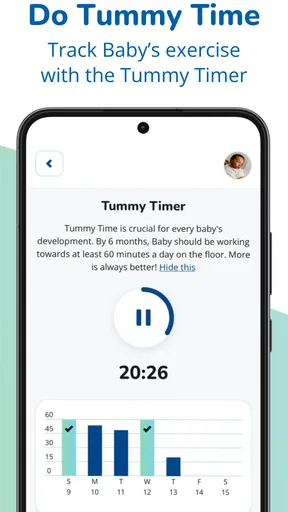
The Tummy Time tracker is one of the clearest reasons to keep the app installed. Tummy Time can be recommended often, yet parents may still struggle to turn it into a repeatable part of the day. A tracker gives the routine a visible place in the day and can help me remember whether I have offered it, rather than relying on a vague feeling that I probably did it earlier.
I would use the tracker as a memory aid, not as a target that creates pressure. A baby may tolerate one session well and reject the next one completely. Recording the attempt can still be useful, but the record should never become more important than the baby’s signals. If the baby is upset, I would pause and try again later, using a different position, surface, or moment in the routine where appropriate and safe.
A practical trick is to connect tracking with an existing habit. For example, I might check the app after changing the baby or before an evening wind-down. Linking the tracker to something already happening is more reliable than expecting myself to remember a separate app routine. This is a small workflow improvement, but it is the kind of habit that makes a tracker genuinely useful.
What the app can and cannot tell me
Milestone content can reassure parents that development is broad and gradual, but it can also be misunderstood if every item feels like a deadline. I read the activities as ideas for observation and interaction, not as an examination. A baby’s progress is not always linear, and a single difficult session tells me very little on its own.
If I had a concern about movement, communication, feeding, sleep, or any other aspect of health, I would bring it to a qualified healthcare professional. The app is a parenting companion, not a clinical assessment tool. That distinction is important for anyone who tends to worry after comparing a child with an online milestone list.
Settings and routine choices worth checking
Experienced use of this app is less about tapping through every suggestion and more about deciding how it will fit into family life. I would begin by checking the device’s notification settings and the app’s own available options, if shown on the installed version. Notifications can be helpful reminders, but too many alerts can turn a supportive tool into another source of noise. Parents who already have a full calendar may prefer to open the app manually at a predictable time.
I would also check whether the app is comfortable to use one-handed. Parenting often means holding a baby, balancing a bottle, or working in a dim room. A simple routine is easier to maintain when I do not need a long setup each time. If an activity needs more attention, I would read it before starting rather than trying to follow instructions while the baby is already waiting.
Another useful setting-related habit is to keep the app’s role narrow. I would not use it as a general baby diary unless it clearly supports the exact records I need. Instead, I would let it handle milestone activities and Tummy Time while keeping medical notes, feeding records, or sleep information in the tool I already trust for those jobs. Separating those purposes reduces confusion and prevents me from expecting one app to manage every part of parenting.
Faster patterns for busy days
The fastest approach is to choose one activity and repeat it naturally across the day rather than browsing endlessly. If the baby enjoys a particular interaction, repeating it is not a failure to explore. Repetition is often how babies become familiar with a movement, sound, or social exchange. I would save my browsing time for moments when I actually need a new idea.
I also recommend reading the activity away from the play moment. During a quiet part of the day, I can look through the relevant suggestions and decide which ones match the baby’s current mood and the space available at home. Then, when the opportunity appears, I am not staring at a screen while trying to engage with the child.
A second efficient pattern is to use the tracker immediately after the activity rather than postponing it. Delayed logging is easy to forget, especially when the baby needs attention. A quick entry at the end of the session creates a cleaner record and keeps the app from becoming a backlog of unfinished administrative work.
For families sharing care, the app works best when everyone follows the same simple rule: use it for ideas and consistent Tummy Time tracking, but do not turn it into a competition. A parent, grandparent, or caregiver can look at the same general guidance and understand the purpose of an activity without needing a long explanation. The benefit is continuity, not perfect record keeping.
Everyday scenario: fitting it around a real morning
Imagine a morning after the baby wakes earlier than expected. There is no time for an elaborate plan, but the baby is alert after feeding. I would open the app, choose a short developmental activity that suits the baby’s current stage, and prepare a safe space nearby. After a few minutes, I would stop if the baby showed signs of fatigue, note the Tummy Time attempt if that was the activity, and move on with the morning.
Later, I might return to the app during a contact nap or while waiting for a bottle to warm. I would not repeat the entire session or chase a missing “perfect” result. Instead, I would use the next suggestion as an option for another brief interaction. This makes the app fit real parenting, where useful moments arrive in fragments rather than in neat lesson blocks.
Where it compares well with ordinary alternatives
The usual alternatives are social media posts, general search results, parenting books, and conversations with other parents. Each has a place, but they create different kinds of friction. Search results can be overwhelming and may mix reliable guidance with personal opinion. Social feeds are quick but often encourage comparison. Books provide more context, yet they are slower to consult in the middle of a busy day.
This app sits between those options. It is more focused than a general search and more interactive than a book, while the tracker adds a practical element that a printed guide cannot provide. I like that combination for quick daily use. On the other hand, a book or a conversation with a pediatrician is better when I need detailed explanation, individual context, or help interpreting a concern.
It is also less suitable for parents who already use a comprehensive child-development program and do not want another source of suggestions. Adding a second system can create duplicate reminders and scattered notes. In that situation, the app’s simplicity may feel limiting rather than refreshing.
Advanced limits and the need for judgment
The app’s greatest strength is its approachable scope, and that is also its main limitation. A list of activities cannot capture every baby’s temperament, physical environment, cultural routine, or health history. Two babies may respond differently to the same idea, and one family may have practical constraints that the app cannot solve.
I would be cautious about treating progress tracking as proof of developmental health. A completed activity is not a clinical measurement, and an unsuccessful attempt is not evidence that something is wrong. The tracker records a routine; it does not explain why a baby is tired, frustrated, distracted, or not yet interested.
There is also a screen-time trade-off for the parent. The app is designed to support interaction, but it still requires a phone. If I find myself scrolling through activity after activity while the baby waits, the tool has stopped serving its purpose. The better approach is to glance, choose, put the phone down, and focus on the child.
Parents should also remember that safe setup remains their responsibility. I would prepare the environment before beginning, stay attentive, and stop when the baby needs a break. No digital activity guide can supervise the child or adapt perfectly to a changing situation.
Who will get the most from it
I think this parenting app is a strong match for new parents who want practical developmental play ideas without building their own spreadsheet or searching several websites. It is also useful for caregivers who want a shared vocabulary around early activities and a simple way to remember Tummy Time attempts.
It may appeal less to experienced parents who already have a stable routine and do not need prompts. It is not the right replacement for professional advice, a detailed medical record, or a specialized support service. Parents looking for extensive customization, deep developmental explanations, or a complete family-management platform may outgrow it quickly.
My verdict after building a repeatable habit
Pathways.org Baby Milestones works best when I treat it as a lightweight companion rather than an authority. The strongest routine is simple: check it at a calm moment, choose one suitable activity, put the phone away during play, and record Tummy Time soon afterward. That workflow turns the app’s guidance into something usable without allowing tracking to dominate the day.
Pathways.org has made a focused free app that addresses a real parenting problem: knowing how to turn developmental goals into ordinary interaction. Its 4.7 average and more than one hundred thousand installs reflect broad interest, while the current version, 2.20.0, keeps it relevant for supported devices. I would recommend it to parents who want gentle structure and actionable ideas, provided they keep milestone content in perspective.
My final recommendation is to use it for confidence, consistency, and inspiration—not comparison. If you want a quick activity guide with a Tummy Time tracker, it earns a place in your routine. If you need diagnosis, detailed personal assessment, or an all-in-one baby log, choose a professional or more specialized alternative alongside it rather than expecting this app to do everything.
Privacy and Permissions
See what permissions an app requests and how it handles your data.
- Phone
- read phone status and identity
- Photos/Media/Files
- read the contents of your USB storage, modify or delete the contents of your USB storage
- Storage
- read the contents of your USB storage, modify or delete the contents of your USB storage
- Wi-Fi connection information
- view Wi-Fi connections
- Device ID & call information
- read phone status and identity
- Other
- view network connections, full network access, run at startup, control vibration, prevent device from sleeping
Verdict
Strengths of Pathways.org Baby Milestones
- Covers milestones from birth through early childhood.
- Includes practical activity ideas for parents and caregivers.
- Uses clear visuals to make developmental guidance easy to follow.
- Helps track progress across different developmental areas.
- Created by a recognized pediatric therapy organization.
Limitations of Pathways.org Baby Milestones
- Milestone guidance may not reflect every child’s individual development.
- Some content can increase anxiety for concerned parents.
- Requires regular updates as your child reaches new ages.
- Limited value for users seeking detailed medical assessments.
- Professional advice may still be needed when delays are suspected.
Similar Picks in This Category
View All
Family Space
Motorola Mobility LLC.3.9

شرطة الأطفال - مكالمة وهمية
Oub Apps4.1

Findmykids: Parental Control
LETEM LTD4.6

Pregnancy + | Tracker App
Philips Electronics UK Limited4.8

Policía de niños - para padres
Kids police4.7

Pregnancy App
Amila4.9
Frequently Asked Questions
What is Pathways.org Baby Milestones?
Pathways.org Baby Milestones is a parenting and child-development app designed to help caregivers follow a baby’s development during the early years. It provides milestone information, age-based guidance, educational activities, and practical suggestions that can encourage movement, communication, play, and learning. The app is intended as an informational support tool and should not replace advice from a pediatrician or qualified healthcare professional.
How does the app track my baby’s developmental milestones?
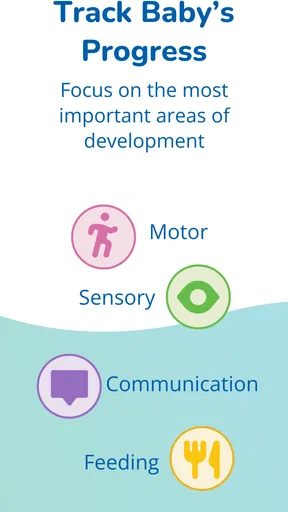
The app allows parents and caregivers to review milestones according to a child’s age and development stage. You can explore areas such as motor skills, communication, social interaction, and cognitive development, then use the available guidance to understand what behaviors may commonly appear next. Development is not identical for every child, so the information should be used as a helpful reference rather than a strict checklist or diagnostic assessment.
What activities are included in Pathways.org Baby Milestones?
Pathways.org Baby Milestones includes simple, play-based activities that can be incorporated into everyday routines. Depending on the child’s age, suggestions may support tummy time, reaching, crawling, balance, coordination, interaction, language, and sensory exploration. The activities are generally designed for parents to do with their children at home, but caregivers should always supervise closely and adapt or stop an activity if the baby appears uncomfortable, tired, or distressed.
Is Pathways.org Baby Milestones suitable for every baby?
The app is created for parents and caregivers of infants and young children, including families who want a better understanding of typical developmental progress. However, babies develop at different rates, and children born prematurely or with medical, neurological, or physical conditions may need more individualized guidance. If you have concerns about a missed milestone, unusual movement, feeding, communication, or behavior, discuss them directly with your pediatrician instead of relying only on the app.
Is Pathways.org Baby Milestones free to download, and does it require an account?
Pathways.org Baby Milestones can generally be downloaded from the relevant Android or iOS app store, although availability, features, and account requirements may change with updates. Before installing, check the current store listing for pricing, in-app purchases, supported devices, permissions, privacy details, and whether registration is needed for features such as saving a child’s profile or tracking progress. Reviewing these details first can help you understand exactly what the app offers on your device.
